How did IT end up on your plate?
- Are you struggling just to understand tech and security problems, much less solve them?
- Do you wonder where all the money you’re spending on IT is going?
- Are you just hoping your company is too small to be a target for cyber attacks?
- Do you want to outsource all these worries?
If any of this sounds familiar, we'd like to help.
Stop worrying: We're on IT
We understand technology can feel like a necessary evil. And cyber security is always breathing down your neck. But you can’t afford to be distracted from your company’s goals. Imagine how good it will feel to be supported by an IT and cyber security partner that gets you and gets back to you. We can work alongside your internal tech team or serve as your fully outsourced IT solution. We’re as invested in your success as you are. Count on Intrust to deliver.
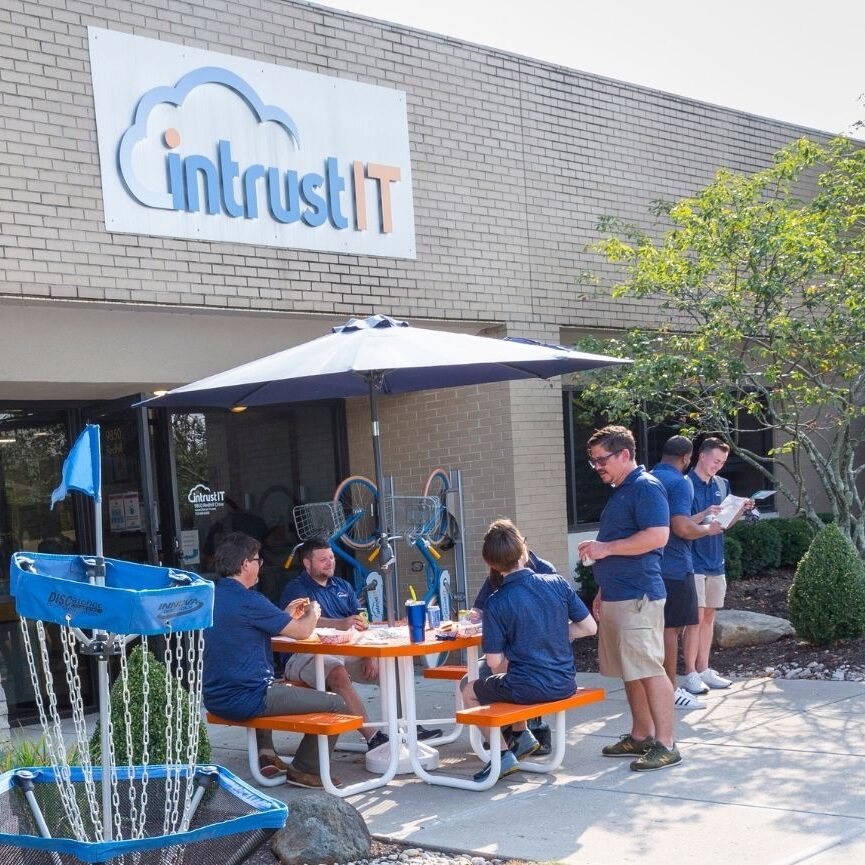
- No long-term contracts


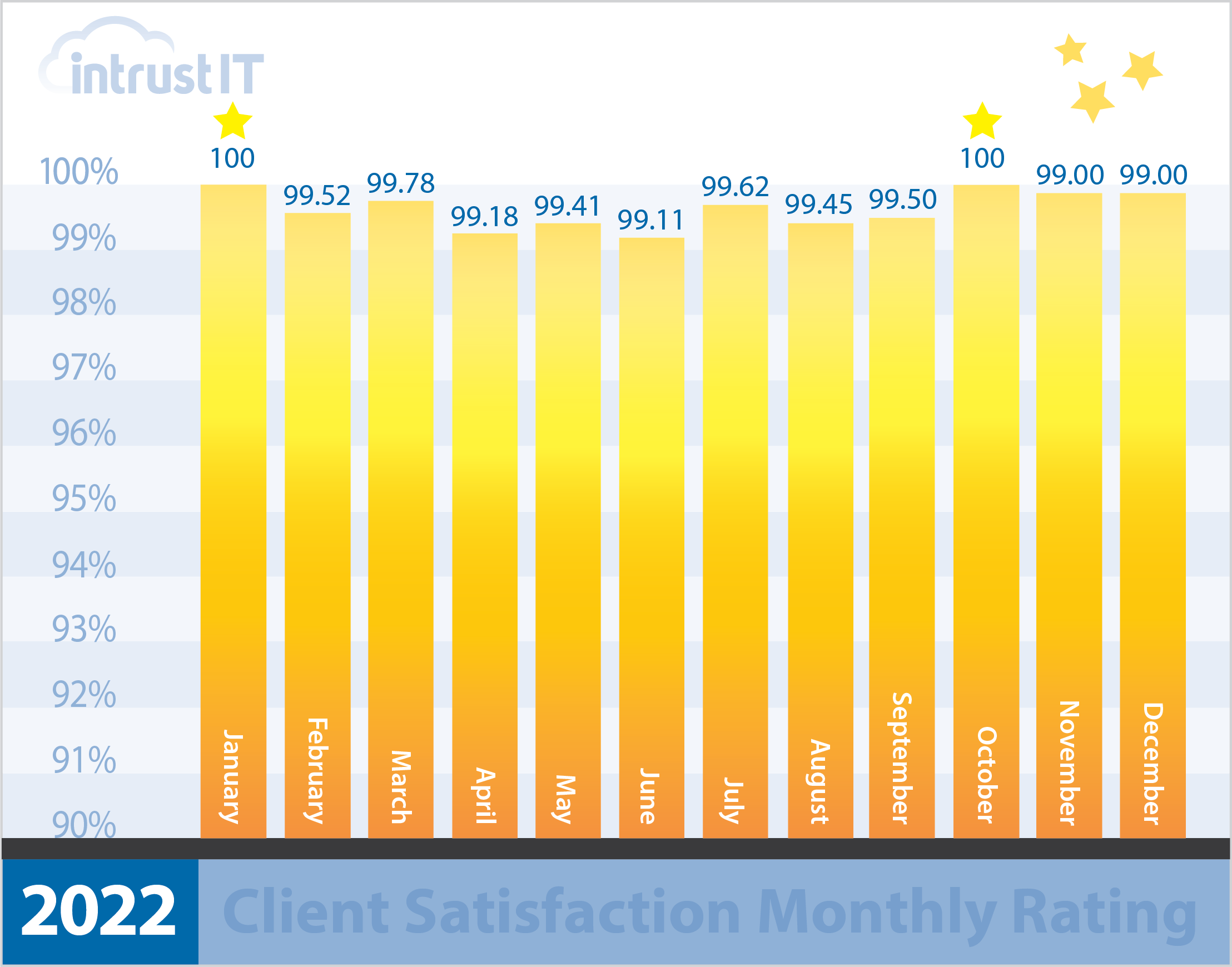
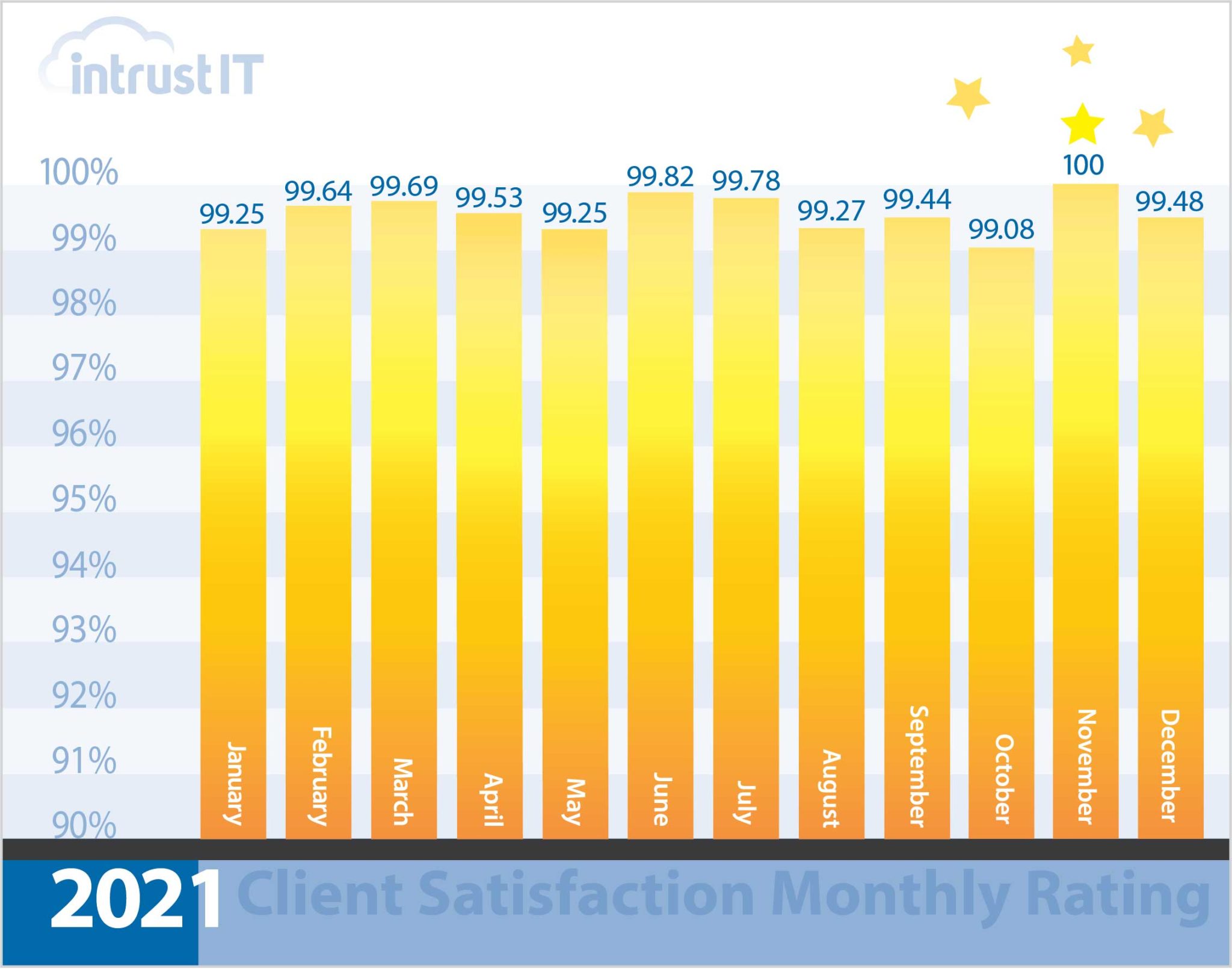
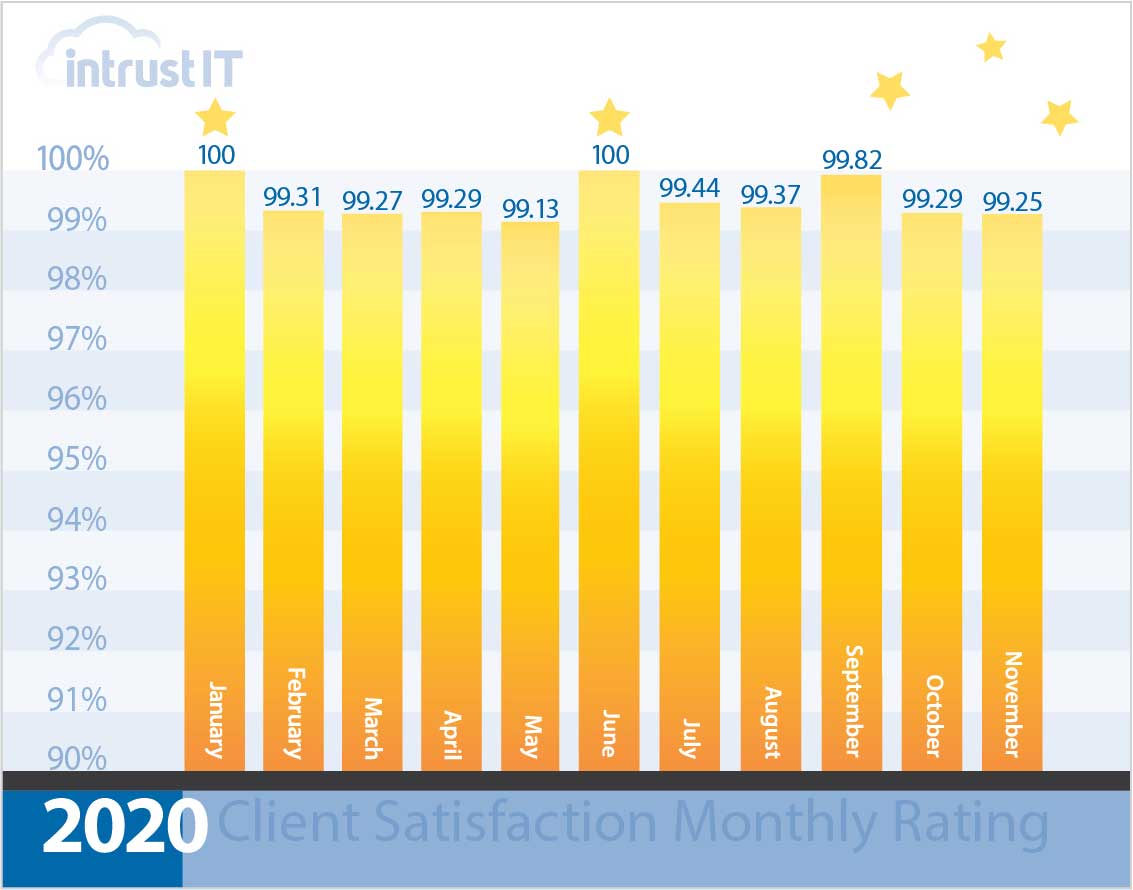
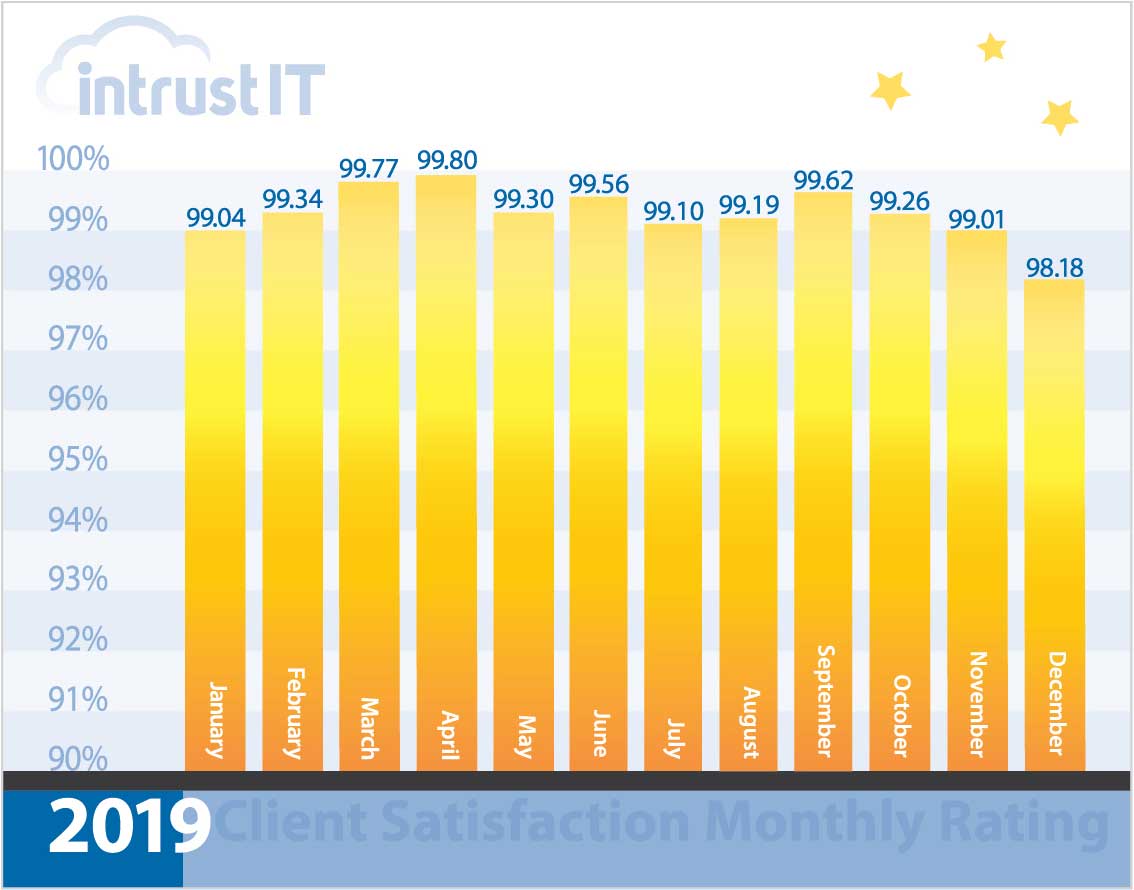
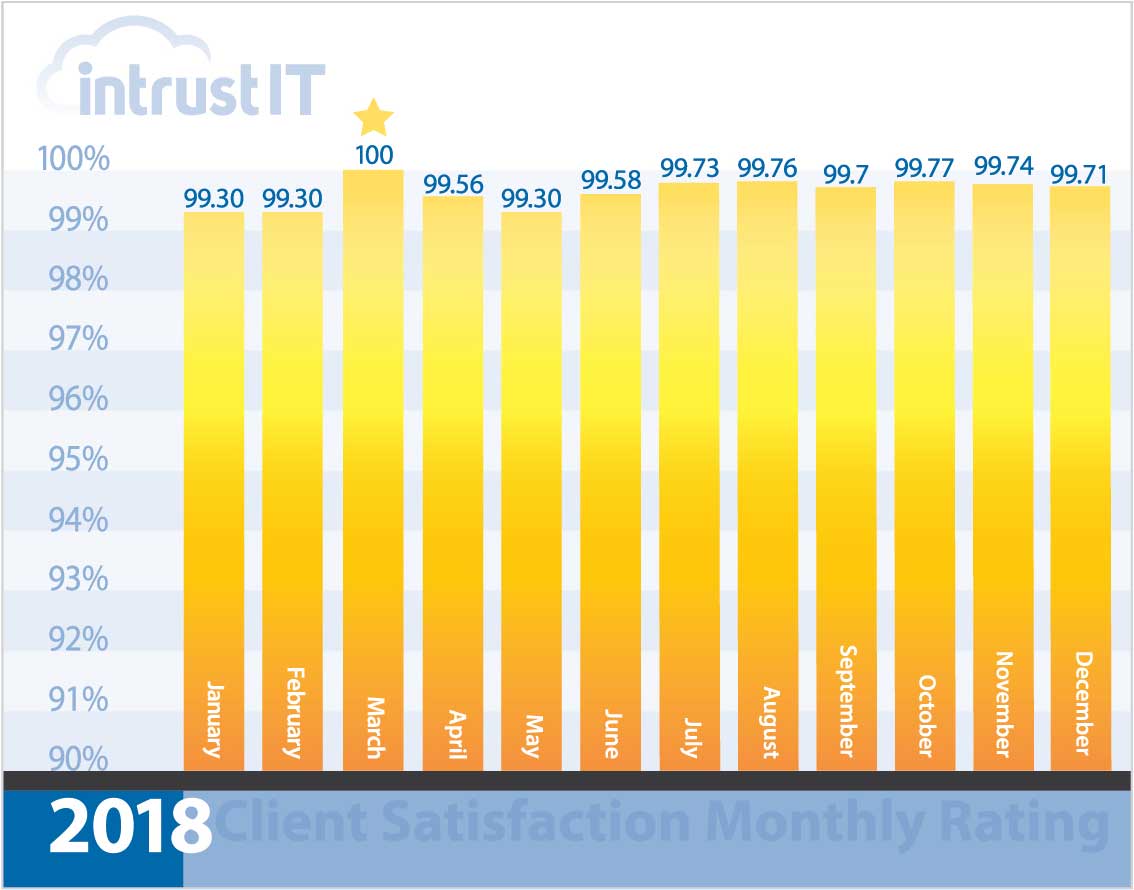
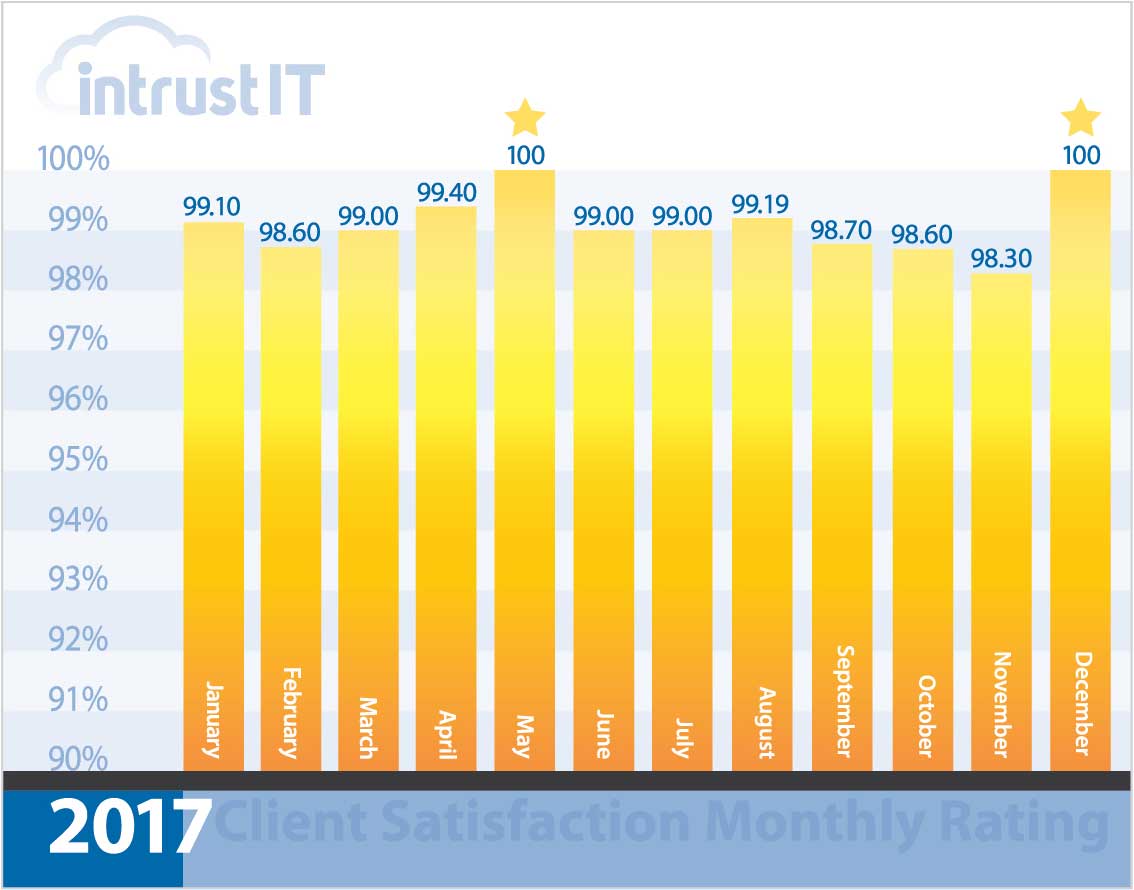
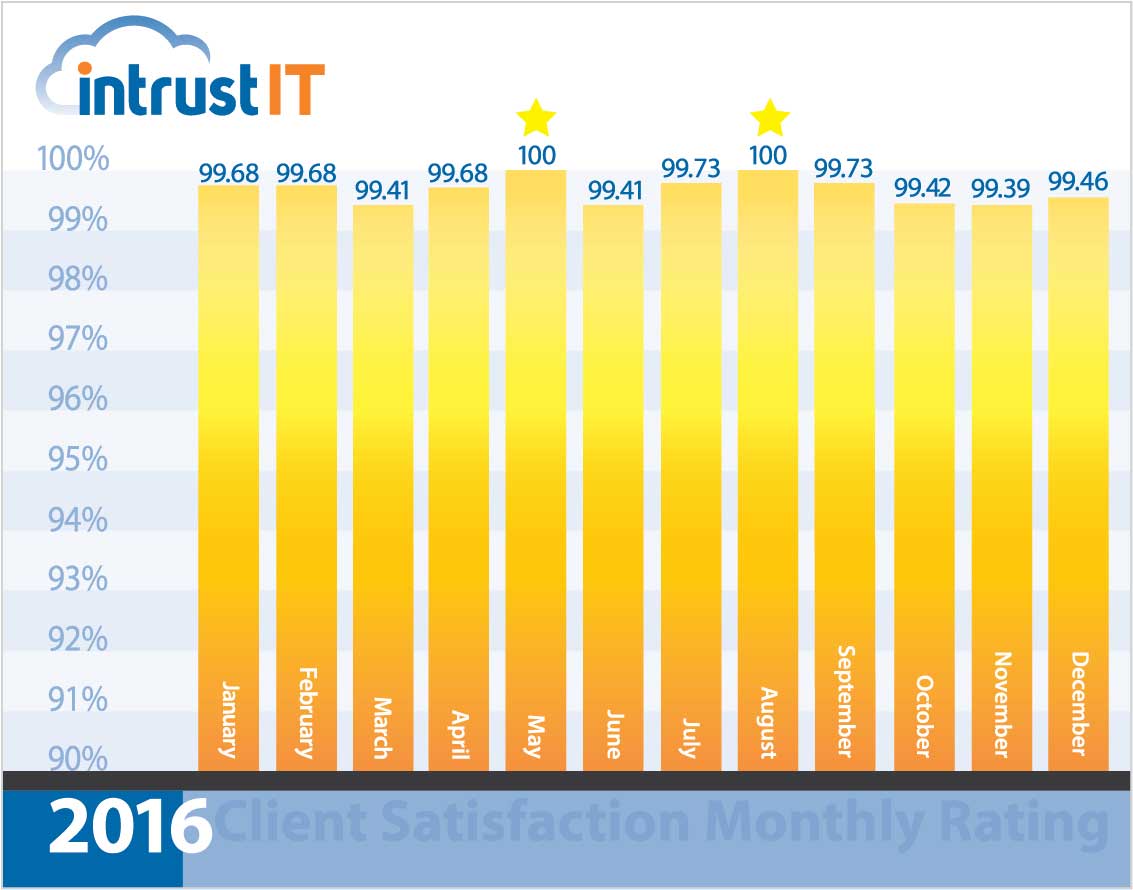
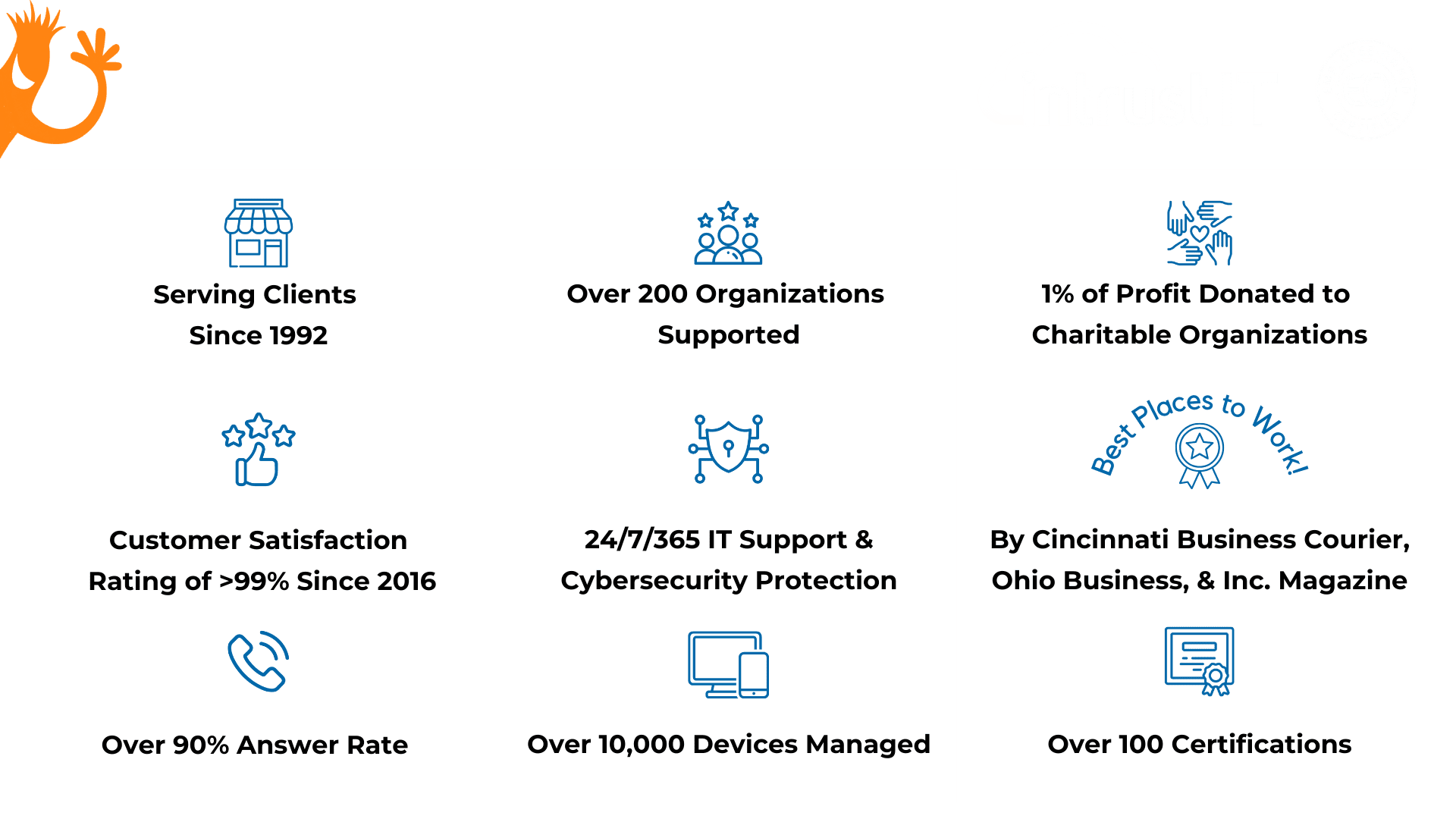
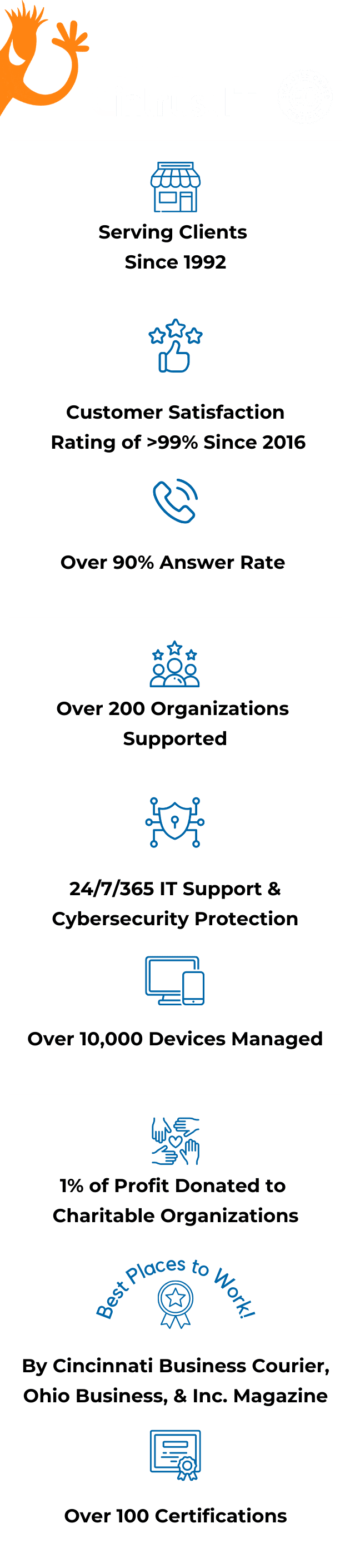
- 99% monthly customer satisfaction rating for more than 5 years
- Employee-owned since 2019 via an ESOP
- 24/7/365 expertly staffed security operations center (SOC) with a million dollar ransomware guarantee
Choosing IT Services is as Simple and Fun as
Choosing IT Services is Simple and Fun

Relax. Your IT is handled start to finish: from security and monitoring to user account setup and unlimited IT support requests. We’ve got this.

If ever-changing technology is stretching your IT department too thin, make our IT support staff your go-to team and your new BFF!

You're a small or new business that just needs basics. We've got your essential IT support covered. Jump in and compare our flexible plans.

Migrate to the cloud for a variety of benefits, from less downtime to increased productivity.

You want a turnkey solution with no hassles, just milestone check-ins to tell you how great it’s going.

Breaches, hacks, cybercrime: We make sure your business is protected so you can sleep at night.
Get to Know Your Responsive and Friendly IT Support Team







What’s the real cost of not having IT support?
How much is downtime, vulnerability and no clear IT plan costing you? Are tech troubles hijacking your day and robbing your productivity? Tech moves fast. Are you missing out on the future because you can’t keep up? Or worse yet, losing credibility or damaging your reputation? A lack of IT support may already be costing you a great deal.
- Locally owned small business that gets you and gets back to you
- Put your IT in the hands of top cybersecurity experts with 100+ active certifications
- Customize our services to meet your needs and nothing else
- Take advantage of our free training and resources to empower you and your team
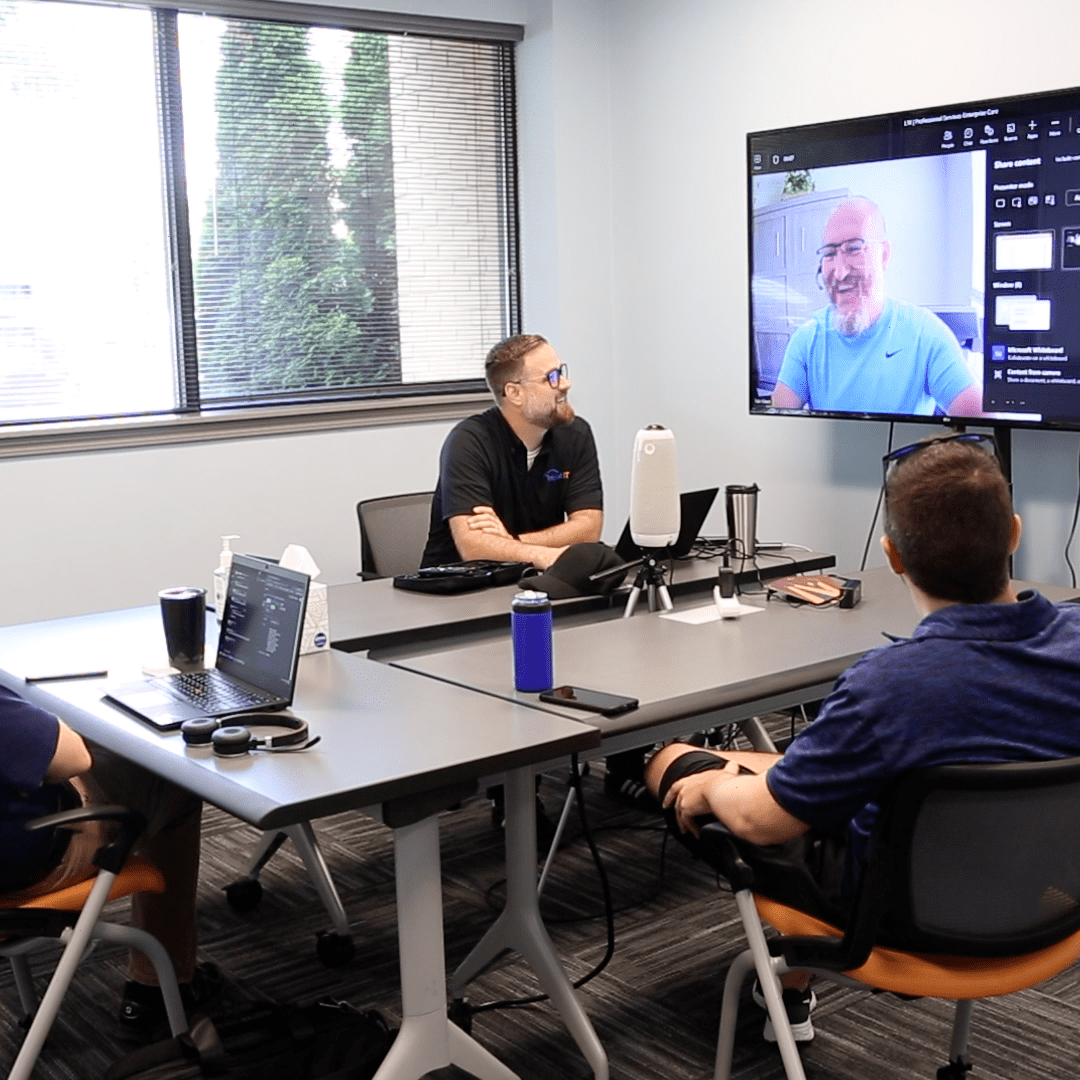
What Clients Are Saying
Intrustimonials

Reliable
— Tyler W., processing facility operations manager

Responsive
— Linda S., service firm IT manager

Advisor/Partner
— Kelli C., manufacturing company IT director

Forward Thinking
— Nan M., professional service company COO
Frequently Asked Questions & Answers
Don't just take our word for it.
Every time we interact with customers, we ask them to rate the interaction and provide feedback.
We’re so proud of our 99 percent or higher ratings that we put them right out in the open.
Are Your Business’s Passwords Strong?
Did you know 81 percent of hacking-related breaches used stolen passwords or weak passwords? Weak passwords are surprisingly easy to come across.
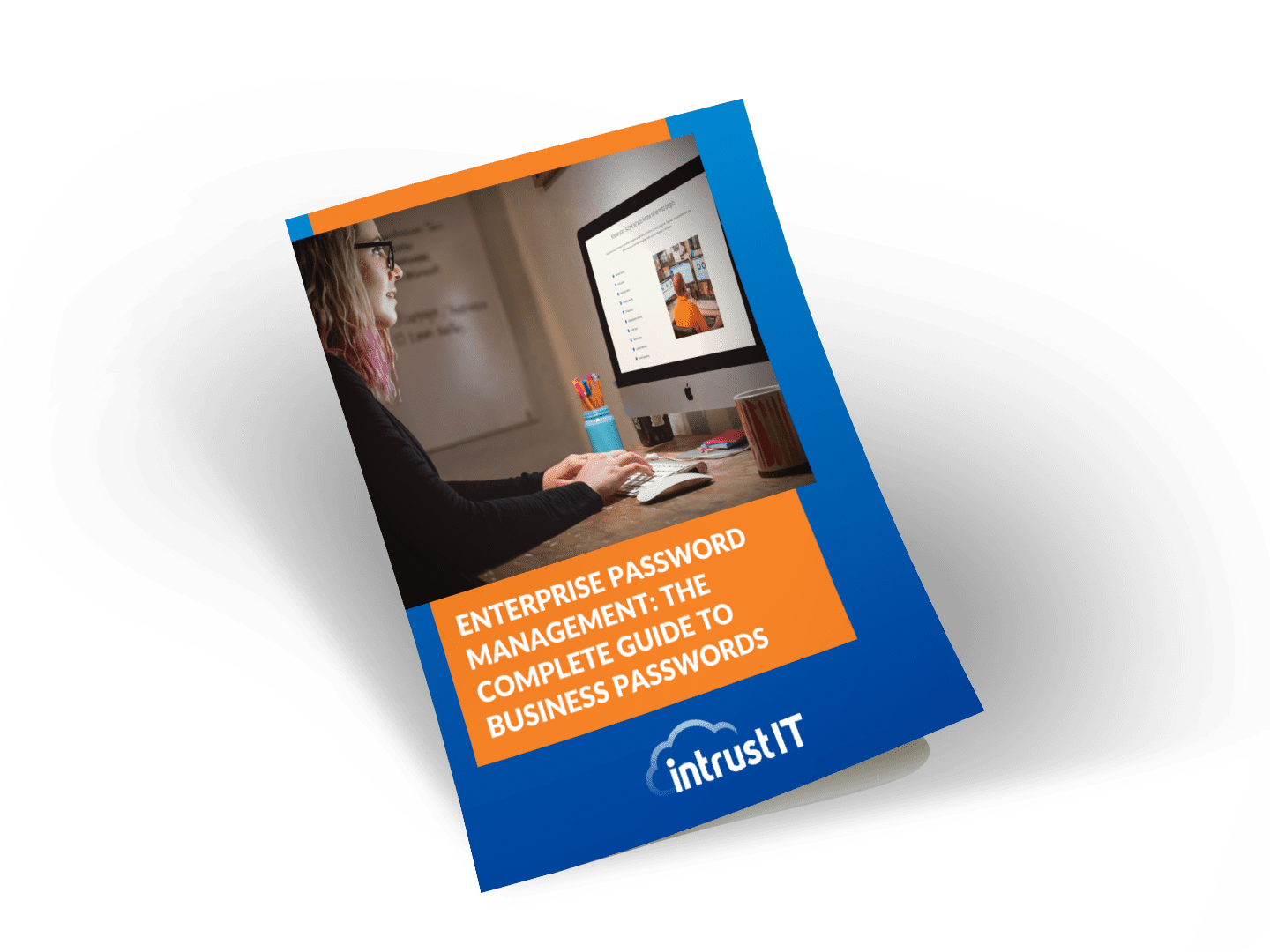
Our free Enterprise Password Management Guide will give you the best password management tips to help secure your business.
Download the Guide
Explore the Latest Trends in IT

Business Continuity Plan Template for Municipalities

Cybersecurity Strategies for Municipalities: 8 Expert Tips

Business Continuity Guide for City Officials
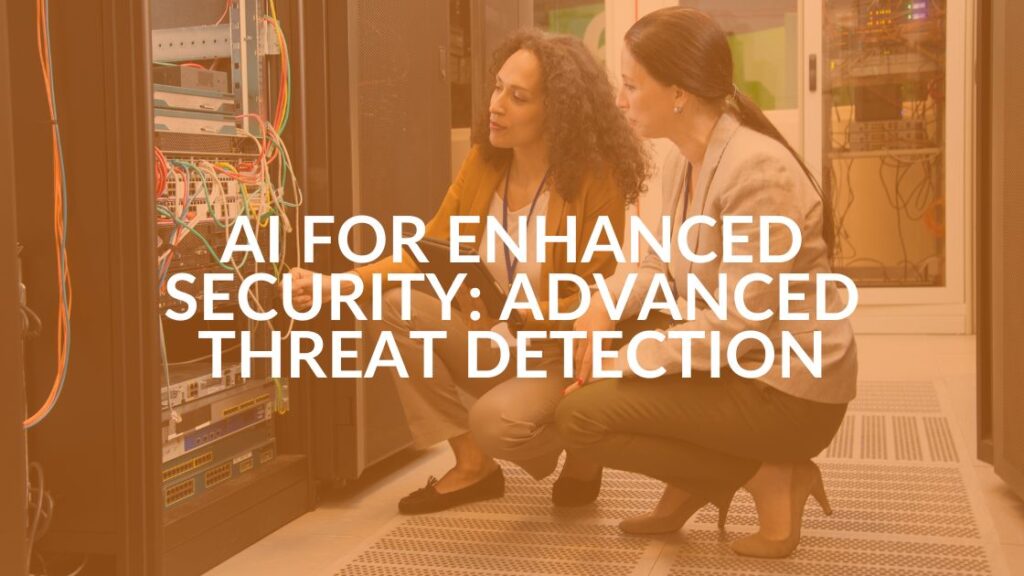
Integrating AI for Enhanced Security

Get Reliable IT Support
Get Reliable IT Support You Deserve Now

1. Schedule a time for us to meet (we'll come to you)

2. Tell us your tech troubles and ambitions

3. Partner with Intrust and get back to your goals
At your location, by Teams or phone